Gilberthorpe school

Gilberthorpe school
Showing posts with label pedagogy. Show all posts

Thursday, 28 October 2021

Manaiakalani Wānanga 2021


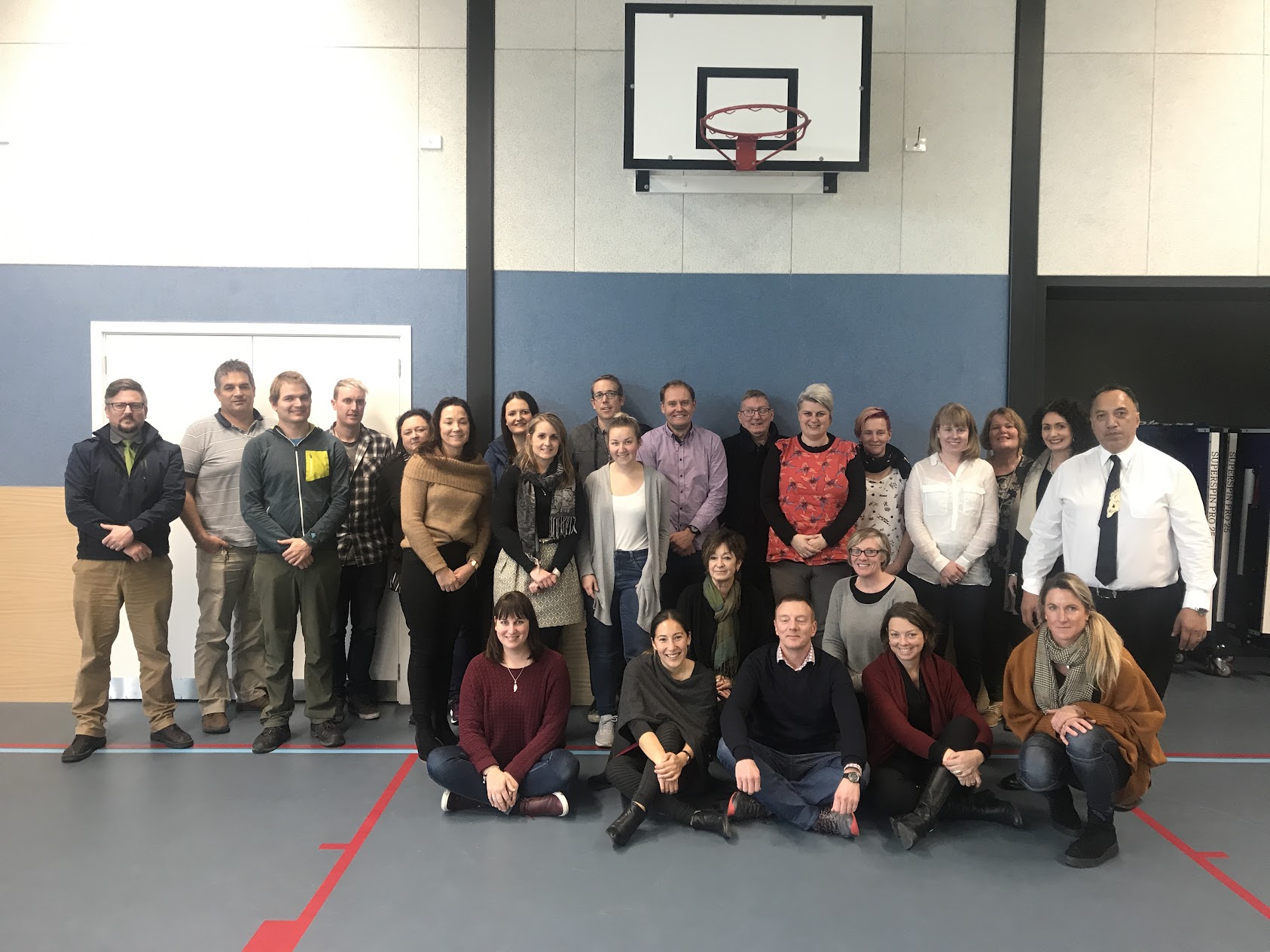
It's a Manaiakalani Wānanga like never before. Usually, we are in Auckland, however today we find ourselves at the nearby Hornby Primary, in an online forum with people in an online call from all over the country.


Pat Sneddon - Manaiakalani Education Trust Chair 2011-2021

Led in with some data on the wider context of Hospital/ICU Admission statistics who are vaccinated or unvaccinated and the high levels of Māori & Pacifica comparative to Asian and European. High School children who are earning the income for their families while still trying to engage with their learning. It's a whole different world from what we perceive each day. Vaccination is happening at "the speed of trust" We are the trusted people they connect with. 

Research Recommendations - Dr Rebecca Jesson - WFRC; Georgie Hamilton & Kiri Kirkpatrick (Manaiakalani Research Team)

Evaluative Organisational Thinking to Build Effective Reading Pedagogies

  1. Interrogate evidence of strengths and needs
  2. Identify strategies likely to work, based on research evidence
  3. Close interrogation of implementation - so that strategies adjusted to learners’ strengths needs
  4. Refine and review

This is all work we already know from John Hattie.
Thinking about these prompts with a reading lens. These have been high Leverage Practices for the last couple of years now.

Questionnaires:

Our Structured Literacy conflicts with the design of the questionnaire by its very design.

Planning for Reading With Intent

  • Setting a goal or purpose and generating a series of actions
  • The ability to plan accounts for a significant portion of income gap in reading outcomes (Griffin & Friedman, 2007).
  • Good readers approach texts in goal-directed ways (Pressley & Lundeberg, 2008)
  • Goals interact with working memory. The type of goal you have affects what you remember (Mills, Diehl, Birkmire & Mou, 1995, Lindeholm 2006).Setting a goal means understanding why you are reading so that you can do things while you are reading to make sure your goal is met (Cartwright, 2015, p. 52)
When introducing a text, share purpose, learning intention and strategies. It can be as simple as three sentences. e.g:

“Today we are thinking about how the character develops in Chapter 4. We are learning how to notice how the words used to describe her thinking and feeling. Remember to slow down to notice when actions are impacting on that character.”

Text Selection to Build Knowledge

Up until recently, the selections were not chosen to build knowledge from one lesson to another. The units of study, five or six weekly lessons, were all too frequently a hodgepodge of selections organized under a vague theme, such as serendipity or adventures. Fortunately, the most recent versions of core programs present units of instruction with unified themes and selections that build knowledge over several lessons (LaVenia, 2019).


Link to Rebecca’s junior T-shaped presentation

Link to Literacy Exemplars website


Cultural Representation has shown an increase in Māori and Pasifika representation in text.

Mirrors, Windows and Glass Sliding Doors

To use books as mirrors of the diverse students we teach, we must make sure those books offer as accurate a reflection of them as possible. Identities are never comprised of single descriptors; a student’s identity is a rich mosaic of experiences, values, perspectives, and cultural ways of knowing, being, doing, and communicating. 

If we truly want to share books as mirrors, we need to take the time to know who students are, in as many ways as possible. And then we need to help our students find books that reflect those identities in as many ways as possible, too.


Enriquez, G. (2021). Foggy Mirrors, Tiny Windows, and Heavy Doors: Beyond Diverse Books toward Meaningful Literacy Instruction. Read Teach, 75( 1), 103– 106. https://doi-org.ezproxy.auckland.ac.nz/10.1002/trtr.2030

Teach Learners to Think and Question

Discussion

Extended Discussion is where there are akonga generated discussion which goes around the learner group rather than bouncing in and out from the teacher. It has huge I'm[pact on the learning and needs open ended questions to work effectively. It's been a HLP for at least 3 years, but still isn't clearly evident in the learning experiences.

Relatedly: Oracy video  https://www.youtube.com/watch?v=2ADAY9AQm54


From the research:

  • Discussion has an effect size of 0.82


Almarode, J., Hattie, J., Fisher, D., & Frey, N. (2021). Rebounding and reinvesting. Where the evidence points for accelerating learning. A GOLD paper. Thousand Oaks, CA: Corwin. white-paper-reinvesting-and-rebounding

Critical Literacy

“The goal of critical literacy is to help students focus on uncovering the perspectives and positions that underpin texts, and to ask and judge what these perspectives might mean in terms of the social construction of their world.”
Susan Sandretto. “Planting seeds.” 


Why choice?

We need to be able to transfer from one context to another in order to embed understanding more deeply. The table below explains the effect size that choice has. (Remembering that choice doesn't mean open season and a free-for-all.
There are more than half the observations missing a share component.

Share

The idea of having more than one opportunity to think about what you've learned and rehash the process. It improves working memory. The more times that we can recycle the learning, the more times we get to organise the learning chunks into higher-order patterning. All the research tells us that it is a lever for higher organised thinking.

Learn Create Share:

With an effect size of 1.33, or the potential to more than triple the rate of learning, developing the assessment-capability of our students will provide long-term benefit across multiple contexts and in the face of future challenges. This is the why behind our what.

Almarode, J., Hattie, J., Fisher, D., & Frey, N. (2021). Rebounding and reinvesting. Where the evidence points for accelerating learning. A GOLD paper. Thousand Oaks, CA: Corwin. white-paper-reinvesting-and-rebounding

When we are picking programmes, we need to be thinking about, How are our programmes helping our teachers to become experts in the subject?

Almarode, J., Hattie, J., Fisher, D., & Frey, N. (2021). Rebounding and reinvesting. Where the evidence points for accelerating learning. A GOLD paper. Thousand Oaks, CA: Corwin. white-paper-reinvesting-and-rebounding


Existing Resources and Support:

Links to Resources


Learning from each other - successful 2021 PLD


  • Cluster Teacher Only Days

  • Cluster PLGs

  • Cluster PLD

  • Cluster Staff meetings

  • T3 nationwide staff meeting

  • School leader meetings

  • Literacy leader meetings

  • Education tours (to visit other clusters)

Further Reading


  • Text analysis and finding evidence in text:

https://nmssa.otago.ac.nz/insights/INSIGHTS_English_Making_Meaning_2019.pdf

  • Multimodal text and critical literacy:

https://nmssa.otago.ac.nz/insights/INSIGHTS_English_Multimodal_2019.pdf

  • Oracy in the Classroom:

https://www.youtube.com/watch?v=2ADAY9AQm54


  • Disciplinary Literacy

          https://c3teachers.org/wp-content/uploads/2016/09/Shanahan_Shanahan.pdf

Manaiakalani Innovative Teachers 2021
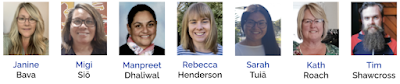

Janine Bava

Has created an inclusive education site with links to resources which will support learners with particular learning needs, or barriers, and a bank of resources to utilise to enable access to the curriculum.

Migi Siō

Supporting bilingual students who are reading more than two years behind their chronological age. Building vocabulary and word bank.

Manpreet Dhaliwal

Developing Critical Literacy Skills in Learners, through cultivating and facilitating Questioning. The site has information about Critical Literacy for both teachers and learners.


Rebecca Henderson and Sarah Tuiā

Matauranga Pāngarau. - A complete tool This site has Number Knowledge resources for Levels 1-4. (Currently Levels 2-4) The intent of this tool is for independent student use, but directed by the teacher. Please click on the photo below or the following link to check out our tool. 

Kath Roach

Kath has created a website that is meant to be a work in progress with new resources added constantly. She does not profess to be an expert of the Structured Literacy Approach but a teacher wanting to learn more. 


Tim Shawcross

Increasing literacy in a secondary music class context.

Device and Finance Procurement for 2022

The newer models include reinforced charge ports and more secure keys.
The price is great due to the increase in cost for all materials etc.

Looking ahead to 2022


We've been doing this for 6 years and counting now.
Increased sensemaking as ‘real-time’ data becomes available. Growing the team in Literacy support with Maths to follow

The Challenge/Provocation

Research Provocation by Dr Rebecca Jesson (WFRC)

Responding to the challenges:


So... What next?

  • Mote: voice notes & feedback - explore how this can be utilised for rewindable learning.
  • Push for DFI and Toolkits participants for 2022.
  • What opportunities for connection are there with schools such as St Francis os Assisi, in the Te Ara Tūhura cluster to best support our Structured Literacy Journey?
  • TAI v SMART Goal? - can we find a more effective "better" way?

Monday, 16 September 2019

DFI 9 - Beating Around The Bush

A weird feeling with this being the last day of our intensive. What will the next challenge be? It's been great having the opportunity to delve in deep and soak like a sponge. It's highlighted that I thrive on that and in many ways need it.

Ubiquitous

Leaping into the learning pit:

Today I leapt in and became the learner. We often put our kids in assessment conditions and flippantly assure them "not to worry", "it'll be fine", etc...
To leap into that position as adults, many of whom in the room were rather nervous about the daunting task ahead of them... was actually a really valuable reminder of how it feels. 
I had a few glitches while attempting the practice tests for modules on the certification site. Many of my problems were due to my nature of over-thinking. "Could it be that simple?" "Surely it's wanting more...?" Apparent;y it wasn't.

The Level One test was in two parts. One was multi-choice, with a scenario given and the number of answers which should be checked.

The other was actual tasks that we were required to go through, from creating a site with specific content to creating a YouTube playlist and sharing it with a specific audience. 

The daunting part was dealing with Google Classroom, which I haven't used before. I found it easy to complete the actual tasks within that domain, however, it was hard for me to answer the multi-choice questions because I couldn't relate it to my own tangible experience. How often does this happen with our students, particularly those stepping up into Year 4 and suddenly working in a digital learning environment?

All in all... I passed!

So Many Opportunities:

Manaiakalani Innovative Teachers

- Focused on your Inquiry. Throughout the process, you design a tool to be used to support this Inquiry. A fabulous think tank experience to help develop your inquiry process. Great opportunities from this as well as the extra support.

Google Class On Air.

Throughout the year, you put up 16 episodes of learning in your classroom as well as the work that akonga present from it.

Tuhi Mai Tuhi Atu

Buddy classes from throughout New Zealand. 

Online Toolkits

Term 4: October 22, 23, 24
Professional Learning, where you lead a toolkit in something that you are comfortable with sharing. It doesn't have to be absolutely amazing... just something.

Social Media

Keeping up with what's running already, such as professional blogs, Google + Community, Twitter etc.

What next?

The question of the day.
I've come to realise that I'm a creature that likes to be in the deep end and being challenged. I can't just paddle in the shallows. It has been invaluable being in such an intense learning environment for this past term. I need to keep the pressure on to keep learning.

  • Google Certified Teacher Level 2

    • I've committed to leaping in and giving this a go... what's the worst that can happen? I fail? (I'm forever telling the kids that it stands for First Attempt In Learning)

  • Hapara Champion Educator

    • I've submitted my application for this online course. The objective is to develop basic proficiency in the Hapara Suite—Highlights, Dashboard, and Workspace—from the point-of-view of a classroom teacher. Practice and reflect on positive, student-centred instructional use. While I've been using most of the features for years, I haven't been using workspace, so I'm interested in looking into this and how it can be harnessed for my practice.
  • Could we be doing mini-interviews for everything that happens at school... then putting up a mini news bulletin, a simple iMovie, that is uploaded to blogs and Facebook at the end of every week.

  • Next Year... there are a number of opportunities floating around. I need to "step into the arena".

Tuesday, 13 August 2019

Computational Thinking

Share - Tohatoha

We need to mindful that it's not just the great things that we share, but the reality too. Some times our perceived failures are the things that we learn most from. Sharing is what makes us human. Sharing our successes. Sharing our failures. F.A.I.L = First Attempt In Learning.

Youtube was born in April 2005. Social media spaces sprang up... Facebook... Bebo... Twitter... The taglines that they all chose to put with each space was "share your life" in some way shape or form. It opened up the world and the way that we share. 2005 brought speed and amplification to the way that we share.

Remind ourselves of our Manaiakalani goals. "Work with learners to establish an authentic audience for their learning outcomes." - Raise Achievement outcomes.


Authentic audience... gone are the days of the audience being a teacher at night with a red pen in hand. Natasha from Hornby High is a student who blogged about Vans. She sent the post to Vans and they commented! She made an authentic connection!

This connectivity is within the realms of every individual who has access to the internet. We need to utilise it to excite and accelerate our learning. Our kids are often limited in the connections that they make in person. Some often don't go many places beyond home and school. This is their vehicle out!

Blogger

Blogger was chosen for a number of reasons. In the beginning, a number of options were explored. Blogger won hands down.

  • Resembles the spaces our young people want to be on: While it may not be the coolest place that young people want to be, it functions very well to do all the things it needs to do.
  • Able to provision this legally, systematically & securely. The board of Trustees is the legal owner of the student blog. The student is merely the author. This gets around the age constraints and legalities of the blog.
  • NO new sign in required for GSuite users... no new list of usernames and password.
  • Guarantee that there's a three check system. These are mechanisms for us managing the safety of our children online.
    1. Blog posts and comments go to Hapara Teacher Dashboard for teachers to check.
    2. The teacher who is responsible for that blog gets emails to notify them.
    3. Gadget on the side of the class blog, that lists the class blogs. Make the setting so that the most recent post goes on top.

Cybersmart Curriculum

It's okay for students to be operating online, but they MUST be taught the cybersmart curriculum in order to ensure that they have a positive presence online. Providing an ability to connect with each other in a respectful way.

A lot of the other spaces are great. The benefit of Blogger is that it's within the google suite, so no further password or sign in is required. 

Share to finish learning

An eternal frustration, particularly in lower decile schools. It can encourage akonga to celebrate being "finished". They just move from one job to the other and then move onto the next without finishing one off properly. This can be a lifelong habit which transfers into their work habits post-school.
The process of 'Share to Learn' becoming a spiral is extremely important. Not only sharing to finish, but sharing to begin learning.
(Slide 18) "Positive thoughtful Helpful" - links to John Hattie and Feedback & Feedforward.
By embedding this language all the way through, it cements it and becomes a natural way of being. By embedding this it gives our kids a toolkit of how to behave, both online and offline.
We need to teach our kids some tricks to hook in their audience. You can't just be passive about sitting back and waiting for it all to happen.

Even reading and commenting on each other's blog has the ability to accelerate learning.
Every lingerer on a blog registers with googles algorithm. If you linger, it'll be noticed.

Kawana - OMGTech - He's the Course creator in the background.

Pam Fergusson Charitable Trust. She was a paraplegic who mortgaged her house to buy a computer because she saw that was the future. Her boys now are all computer programmers and run a multi-million dollar company.

Technology in the world we live in. It's about connections and who you know. Our kids need to have the ability to make connections.

Boston Dynamics Big Dog - ethics... it was funded by the military. It isn't just for war, but for rescues etc

Sophia the robot - Singing with Jimmy Fallon.

The algorithm adjusts within the song to match pitch. It has learned by itself. Sophia absorbed the knowledge. Can robotics be creative?

Skin Vision - $80/year. Consumer Institute wasn't positive about it, however, the more people who use it the better the algorithm gets. Getting a body scan for moles is around $200... Could become a new party trick?

Cost becomes a barrier.

Zephyr's Cora - Self-flying planes. 

Tech ethics...should we do it?

The new content covers two key areas, computational thinking and designing and developing digital outcomes. It has been designed to be flexible, so it can respond to new developments and technologies as they emerge.

In fact, when Hon Nikki Kaye announced the curriculum in June 2017, she said:
“Computational thinking is about understanding the computer science principles that underlie all digital technologies and learning how to develop instructions, such as programming, to control these technologies. 
Designing and developing digital outcomes is about understanding that digital systems and applications are created for humans by humans, and developing knowledge and skills in using different digital technologies to create digital content across a range of digital media. This part of the curriculum also includes learning about the electronic components and techniques used to design digital devices."

  • Inquiry & Communication is the use
  • Construction & Expression is the programming and create

Check out the glossary here.

Other stuff:


  • cs unplugged - a huge resource of unplugged resources.
  • Hour of Code. Limit to one hour or kids disconnect and check out
  • Toxicode and silently teacher: when they've moved on from hour of code.

Scratch


Kiatakatu.ac.nz

Digital Readiness - It’s worth having a look at. You can complete a self-review, to guage where you are at with implementing the new digital curriculum. It has great resources for you to upskill or be informed.
I completed the online self-review tool to see where I was at, as a leader.


Makey Makeys 

Image result for cardboard robot, adafruit


A-MA-ZING! Today was fantastic! I now feel like I've had a range of tools and ideas unleashed, but I've been able to have the sandpit time with them to successfully take them back into the classroom. I can see where a range of what we did today should be introduced to our akonga! It also involves critical literacy in that we are challenging our learners to consider the ethics of G-Tech and where things are heading, rather than being passive consumers of things that they are told about or introduced to.

I've already been on AliExpress and purchased a 3D pen, with filament! 

Monday, 22 July 2019

Digital Fluency Intensive- Day 1

Dorothy Burt kicked off our day with a recap of the kaupapa and pedagogy of Manaiakalani. It was a great reaffirmation of why we do what we do; why we are challenging the way that things are done; and why there is a responsibility to up our game. The rationale is a no-brainer. The data is there to show that it works. The misunderstandings that prevailed by naysayers, such as "it's a digital thing" or "it's a senior school thing", are hopefully drifting to the wayside now.

What did I learn that could improve my confidence, capability or workflow as a professional?

Google Groups

Streamlining communication.
A really easy way to go in and see all emails sent & received within that group, without all the others interspersed. Labels can be added to the emails, e.g. "agenda", making it easier to navigate looking for the right message.
For a parent group, there's no need to BCC like you do in contacts, as all addresses are automatically hidden. Parents would receive the email in the usual way. There's no confusing system for them to navigate, however, if they wanted to they could navigate into groups to see what has been sent through the group.

Underestimating Docs

For so long, we have sent the message to kids of not defaulting to a Doc. To use a Google Drawing or Slide or something more creative. It's been easy to forget that Docs can be a little more creative than just typing up minutes for meetings.

Chrome 

  • Cleaning up User Profiles in Chrome.
  • Tweaking the bookmarks bar to make it more streamlined and user-friendly.
  • Tips and tricks for getting the most out of your omnibox.
  • Jumping between tabs quickly.

Google

  • Organising your drive and the way things are filed.
  • Sharing Folders and Documents in a more effective way, particularly when there is shared ownership.

Chrome Extensions

I've added a number of new useful add-ons and chrome extensions to use within the classroom. 

What did I learn that could be used with my learners?  

Voice typing

I've been a passionate advocate for defaulting to voice typing for a while now, due to its ability to take out the barriers that handwriting or typing might bring. Voice typing has also shown to be improving speaking and oral language. Getting kids to read out loud, then compare the voice typed page to the page that they have read from, and asking "Why do you think it is different?". With some children, it is improving the clarity of their speech as well as their annunciation.

Insert Lifehack... Throw away Coffee cups, with the bottom removed!!! These can be used for the ākonga to speak through (aiming at their device) to minimise the impact of noise for the other learners within the learning space.

Writing prompts

We all love quick writes! The ability to create an opportunity to generate writing mileage as well as get kids excited about writing just by writing... well here's a new tool to use! The Most Dangerous writing prompt generator On the site, you have the option to "Free Write" . or be given a writing prompt. You then just start typing. It requires you to keep typing or the timing bar first changes colour, and then your print disappears, with the banned "You Failed" appearing on the screen. It challenges you to write continuously for 5 minutes. If you "fail", then there is the option of downloading what you've already done, so that it's not entirely lost forever. Obviously, for some kids it just won't work... but for those that may thrive on the challenge of being able to continuously write then it could be a great option.

remove.bg

A quick new tool to remove background for an image = remove.bg in the omnibar.
 
I could see this being great for kids to place an image of themselves in another place when writing about it. 


What did I learn that could improve my confidence, capability or workflow in my personal life?

The Underline is dead!

If you're using underlining, you're showing your age! If there is a line under it, there's an assumption (particularly for our learners) that there is a link to click. They will click and complain that it doesn't work, rather than reading through. It is a policy of assent for their way of being.

So many quick keys and streamlined ways of doing things!


Tuesday, 19 September 2017

Unpacking Learn Create Share in a way thats not so scary

Recently, I ran a staff meeting around Learn Create Share.
Ironically, it was the first staff meeting that I'd attended since joining my new school. The upside to this was that there was no precedent to follow... No pre-existing notion of what it "should" look like.
Here's the basic presentation to guide the discussion:

We looked at each definition, without the "Learn" "Create" or "Share" attached to it, in order to ensure that we weren't overthinking it. 
Within our cluster, our Uru Manuka Leaders of Learning PLG has identified that we do have a shared understanding of what Learn Create Share is... it just differs slightly from what it should be, by the Manaiakalani definition. After much robust discussion, we came to the conclusion that the initial definition was accurate and we needed to align our own understandings with it. After all, the immense research that has gone into the concept backs it up... who are we to question it through our own ignorance!

What next... How on Earth were we to take this eye opener back to our schools!
We were all in agreement that going back and telling our colleagues that everything we had thought about what Learn Create Share was wrong (after two and a half years of building that pedagogy, I might add...) was not an appealing option.
My approach, was to utilise the feelig that I had that everyone was doing a lot of things already, but they didn't understand how their great practise actually aligned within Learn Create Share.
I decided to take each definition and put it to the teachers: 
What happens in your hub that falls under this heading?

We compiled our ideas onto large sheets, using post-it notes...
Here's what we came up with... Compiled into a piktochart Infographic:

My next step is to align my Critical Inquiry etc, with a lens that accommodates a Learn Create Share view, from a teachers perspective also:


Wednesday, 2 November 2016

Matific - Kelsey


Last week while I was off… I met with the Matific guru Inba to secure a free month on Matific for my math class.

The program is super easy to use, links to curriculum and from what I am seeing the students are in love with it! They are going on it at home and are motivated to get the top number of stars for each learning game they are playing.

This is what the students see when they log on:
I love the language of math missions and the layout is clear and easy to follow - students are not overwhelmed with what activity to chose or spend learning time deciding what to go on. They also collect monster cards when they have achieved a number of points - a sort of reward program within the game.

The episodes are colourful and interactive. The programing is easy and up to date digitally (knowing what I know from my UI/UX design partner). It has won a number of awards for visionary pedagogy and best practice. Also, you can send home reports to parents and assign homework and school work on awesome islands.

Here is an overview of the program:


The thing that I love most about it is that you can preview the episodes before assigning them to the students. This way you can see exactly what the students will be doing and therefore what they will learn or practise through the episode.

Here is a link so that you can have a free trial and play with the program.